Most people's first flag doesn't come from a clever exploit. It comes from pressing Ctrl+U on a web page and
spotting a comment the developer forgot to delete, or from recognising that a string starting with
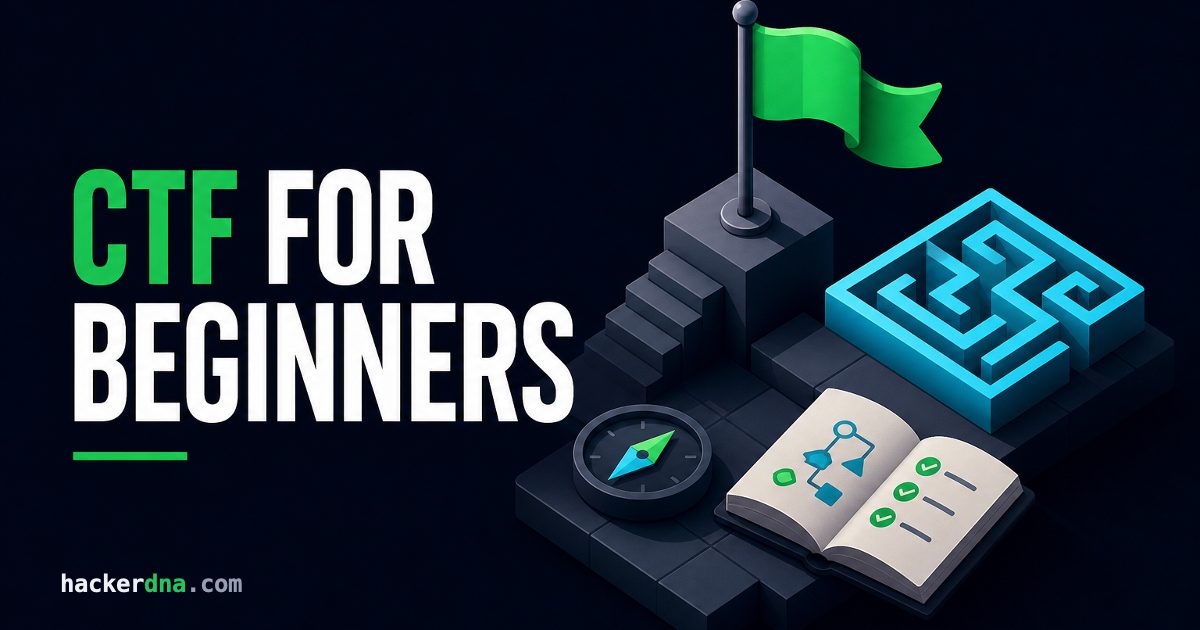
ZmxhZ3 is just Base64 for "flag". That is the honest starting point of CTF for beginners:
small, legal puzzles where you practise real security skills one flag at a time.
This guide explains what a Capture The Flag actually is, walks through two real first flags, lists free CTF challenges for beginners and gives you a four-week plan. If you want to score a flag before you finish reading, the free Capture the Flag 101 lab takes about five minutes and runs in your browser.
TL;DR: A CTF (Capture The Flag) is a security competition where you solve challenges to find hidden strings called flags. Beginners should start with Jeopardy-style challenges in web, crypto and forensics, use a browser plus CyberChef before installing anything heavy, and aim for a little practice every day rather than marathon weekends.
What Is a CTF in Cybersecurity?
A Capture The Flag (CTF) is a cybersecurity exercise where each challenge hides a secret string, the flag. You find it by exploiting a deliberately vulnerable web page, decoding a message, analysing a file or reversing a program, then submit it to score points.
Flags usually follow a format the organisers announce, such as flag{y0u_f0und_1t} or
picoCTF{...}. On HackerDNA, flags are UUIDs like 3f2b9c1e-.... Knowing the format matters more than it sounds:
it tells you when a decoded string is the answer and when you still have another layer to peel.
CTFs are legal because every target is built to be attacked and you only touch what the organisers put in scope. That is also why they are such good practice: the vulnerabilities are real, but nobody gets hurt.
The three CTF formats
- Jeopardy-style: a board of challenges sorted by category and points. Solve them in any order. This is the format for beginners and the one almost all online events use.
- Attack-defense: every team runs identical vulnerable services, patches its own and attacks the others. Fast, chaotic and best left until you have a few Jeopardy events behind you.
- King of the Hill: teams fight to take and hold control of shared machines. Fun, but it rewards speed and system administration more than learning.
Your First Flag: Two Worked Examples
Easy CTF challenges for beginners tend to test one idea: can you look in the right place? Here are two classics, exactly as you will meet them.
1. The flag in the page source
The challenge says "Our new login page is ready. Nothing to see here." The page itself looks empty. Open the source with Ctrl+U (Cmd+Option+U in Chrome on a Mac) and scroll:
<form action="/login" method="post">
  <input name="user"> <input name="pass" type="password">
</form>
<!-- TODO remove before launch: flag{v13w_s0urc3_f1rst} -->
That's it. Developers leave comments, test credentials and API keys in HTML and JavaScript all the time, which is why
"view source first" is the oldest rule in web CTFs. Also check the linked .js files, /robots.txt
and the cookies in DevTools (F12, then the Application or Storage tab).
2. The flag that's only encoded
The challenge gives you one line: ZmxhZ3tiNHMzXzY0XzFzX24wdF9jcnlwdDB9. Letters, digits, a length that's a multiple of four: that shape says Base64. Decode it in a terminal:
$ echo 'ZmxhZ3tiNHMzXzY0XzFzX24wdF9jcnlwdDB9' | base64 -d
flag{b4s3_64_1s_n0t_crypt0}
No terminal? Paste it into our free Base64 decoder or into CyberChef.
In practice: learn a few "fingerprints" by heart. ZmxhZ3 is how flag{ starts in Base64, 666c6167 is "flag" in hex, and synt{ is "flag{" in ROT13. Spotting them saves you ten minutes of guessing on half the easy crypto challenges you will ever see.
The 6 CTF Challenge Categories
Almost every Jeopardy CTF sorts its challenges into the same six categories. Start with the first three:
- Web exploitationHidden pages, cookies, SQL injection, XSS, broken logins. The most beginner-friendly category because you already use browsers every day.
- CryptographyFrom Base64 and Caesar ciphers up to weak RSA. Early challenges are about recognising encodings, not maths.
- ForensicsFiles hidden inside images, packet captures, metadata, memory dumps. Mostly about knowing which tool to point at which file.
- Reverse engineeringWork out what a program does without its source code, usually with Ghidra. Needs some C and assembly reading.
- Binary exploitation (pwn)Buffer overflows, format strings, ROP chains. The hardest category to start; save it for later.
- OSINT and miscFind a location from a photo, track a username, solve an odd puzzle. Great for lateral thinkers.
Each category has its own habits and tools. Our guide to CTF categories shows a real example challenge for each one and how it is usually solved.
Free CTF Challenges for Beginners
You don't need to pay for anything to start. These are the places we would send a friend, in this order:
- picoCTF (now CyLab Security Academy) - free, from Carnegie Mellon University. In May 2026 the year-round picoCTF practice problems moved to CMU's CyLab Security Academy, and the picoCTF competition itself ran again in March 2026. The General Skills category teaches the Linux basics most other CTFs assume. Our picoCTF guide explains where to begin.
- OverTheWire Bandit - SSH into a server and find the password for the next level. The best free way to get comfortable in a Linux terminal.
- Hacker101 CTF - free web challenges from HackerOne, closer to what bug bounty hunters see. Reach 26 points and you become eligible for private bug bounty invitations. Our Hacker101 CTF guide shows which levels to play first.
- Root-Me - a free French non-profit platform with hundreds of challenges in every category. Less hand-holding than picoCTF, but the community solutions you unlock after each flag are excellent. Our Root-Me beginner guide lists the first ten challenges to try.
- HackThisSite - free since 2003 and run by volunteers. Its 11 Basic missions teach page source reading, parameter tampering, and command injection with nothing but a browser. The site is old, so follow our HackThisSite guide for what each mission teaches and which modern tools replace the outdated add-ons.
- CTF101 - not a challenge site but a clear reference for each category's core techniques. Read the page for a category before you play it.
- HackerDNA's Daily Hack - one short hacking puzzle a day, free, in the browser. A good way to keep the 15-minutes-a-day habit going between bigger sessions.
Once these feel comfortable, move to full lab machines where one flag takes several steps (scan, exploit, escalate). That jump from "puzzle" to "system" is what turns CTF players into pentesters.
The Beginner CTF Toolkit (Start Small)
Beginners often spend a weekend installing Kali and never solve a challenge. Most easy challenges need only a browser. Add tools when a challenge actually asks for them:
Day one
- Browser DevTools: view source, read JavaScript, edit cookies, watch network requests.
- CyberChef (gchq.github.io/CyberChef): decode and chain Base64, hex, ROT13, XOR and dozens more. Its "Magic" operation guesses encodings for you.
- A Linux shell: WSL on Windows, the macOS Terminal or a free web shell. You need
file,strings,grepandbase64far more often than exotic tools.
When the challenges ask for more
- Burp Suite Community: intercept and modify web requests.
- Python 3 with
requestsandpwntools: script anything you do more than three times. - Wireshark, ExifTool and binwalk: packet captures, metadata and files hidden inside files.
- John the Ripper or Hashcat: crack the password hashes that show up in crypto and forensics challenges.
- Ghidra and GDB with pwndbg: reverse engineering and pwn, once you get there.
- A Kali Linux VM: convenient because everything above comes preinstalled. Give it at least 4 GB of RAM.
For the full list sorted by category, with the command you will type first for each tool, see our CTF tools guide.
How to Start CTF: A 4-Week Plan
Thirty minutes a day beats an eight-hour Saturday. Here is a plan that fits around a job or classes:
- Week 1: learn the loopFinish Capture the Flag 101, the first ten OverTheWire Bandit levels and a handful of picoCTF General Skills challenges. Goal: be at ease with
ls,cat,grep, pipes and SSH. - Week 2: webView source, cookies, hidden directories, a first SQL injection. Solve every easy web challenge you can find.
- Week 3: crypto and forensicsEncodings and classic ciphers in CyberChef, then
file,strings,exiftoolandbinwalkon suspicious images. - Week 4: your first live eventPick a beginner-friendly weekend CTF on CTFtime, join or form a small team, and aim for three solves. Read the writeups the week after.
When you are ready for week four, our guide to CTF competitions explains how to read CTFtime and which events suit a first-timer.
How to Get Unstuck
Everyone gets stuck. The players who improve fastest simply get stuck better:
- Re-read the title and description. A challenge called "Robots" is pointing at
/robots.txt. Authors hide hints in names, file names and point values. - Enumerate before you exploit. Run
fileandstringson every download, check every page and parameter. Most beginner mistakes are skipping a place, not failing a technique. - Use a 30-minute timer. No progress after 30 minutes? Write down what you tried, switch challenge and come back later with fresh eyes.
- Search the technique, not the answer. "PNG hidden data" teaches you something; "challenge X flag" doesn't.
- Read writeups after the event. Search "[event name] writeup" once it has ended and study the reasoning, not just the commands.
- Keep notes. A simple file per challenge (what it was, what worked, the command) becomes your personal cheat sheet within a month.
CTF Rules and Ethics
Critical reminder: CTF skills are for CTF targets and systems you have explicit written permission to test. Using them on anything else is illegal in most countries, whatever your intent.
- Stay in scope. Attack only the challenge hosts. The scoreboard, the organisers' infrastructure and other players are off limits unless the rules say otherwise.
- No flag sharing during live events. Swapping flags or hints between teams gets you disqualified, and it ruins the event for everyone else.
- Don't brute-force what wasn't meant to be. Hammering a login with a huge wordlist often breaks the challenge for other players. Most rules forbid automated scanning unless the challenge needs it.
- Publish writeups after the event ends, never while it's running.
Frequently Asked Questions
Is CTF good for beginners?
Yes. Jeopardy-style CTFs start with challenges that need only a browser and curiosity, and the difficulty climbs in small steps. They are one of the cheapest and most engaging ways to learn practical security.
Do I need to know programming to start CTFs?
No. You can solve many easy web, crypto and forensics challenges without writing code. Basic Python becomes useful within a few weeks, mostly for automating repetitive steps, and is required for binary exploitation.
Are CTF challenges legal?
Yes. CTF targets are built to be attacked and you only interact with what the organisers provide. The same techniques used against systems you don't own or have no permission to test are illegal.
How long does it take to get good at CTFs?
With 30 minutes a day, most beginners solve easy challenges in every main category within a couple of months. Reaching the medium and hard challenges of well-known events usually takes a year or more of steady practice.
Do employers care about CTF experience?
Many security teams do. A CTF record or a set of good writeups shows you can solve unfamiliar problems, which is exactly what interviews for pentesting and SOC roles try to test. List notable placements and link your writeups on your CV.
Capture Your First Flag Today
CTF for beginners comes down to three habits: look everywhere, recognise encodings and practise a little every day. You don't need a perfect setup, only a first flag.
Start with the free Capture the Flag 101 lab, then work through the HackerDNA challenge library for web, crypto and forensics practice in your browser. Start with HackerDNA's free tier - no credit card required.
More CTF guides:
- CTF for Beginners
- CTF Categories
- CTF Tools
- CTF Competitions
- Hacking Games
- How to Use CyberChef